

01 · Task
Start with a sentence
Say what to change, in plain words. Infrar works out which repositories it touches.

Every signal, from an engineer, a user or a metric, becomes a verified change running in production.
Request accessAdd rate limiting to the public endpoints in @billing-api. 100 requests/min per API key, 429 with a Retry-After header when exceeded.
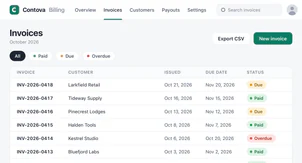
A plan before any code. Infrar reads the repositories, proposes a plan and a branch, and waits for your go.
The loop
Three kinds of signal feed the same loop. Agents do the work. Your reviewers and your rules decide what ships.
A request becomes a goal and a plan: the repositories it touches, the branch to work on, how to check the result.
Agents edit application and infrastructure code on a branch, across every repository involved. When a change touches how a component is built, Infrar builds it before pushing.
Infrar runs the whole application from the branches you choose, with its real dependencies. Your team reviews a running app, not only a diff.
Today a change closes into a pull request on your git provider, merged under your branch rules. Releasing to production from Infrar will come with approval, policy and rollback.
Infrar watches what it released and turns what it sees into the next signal.
Every step leaves a trail: who asked, what changed, what ran.
Use cases
Examples of what can start a change.
“Add single sign-on to the admin console.”
The team reviews the feature running in a preview before it merges.

“Invoice export fails when I change the filter.”
Bring the report into a change: Infrar writes a test that catches the bug, fixes it, and you compare the fix running in a preview with your current version.

“Checkout latency is above target.”
Infrar finds the cause, changes the infrastructure, verifies the result and rolls back if it fails.

The product
Screens from the new Infrar interface. Names and data are illustrative.
01 · Task
Say what to change, in plain words. Infrar works out which repositories it touches.
02 · Change
Every change is a diff your team can read.
03 · Preview
Each preview runs at a link your team can open.
04 · Release
Review the diff, the commits and the checks, then merge. Permissions and branch protection stay with your git provider.
Control
This is how Infrar works today.
The AI’s tools run with no credentials and no direct network access, and only Infrar pushes, to the branch you chose. With Infrar Desktop, your own coding agent works on your machine, outside that sandbox.
The branch to use, a change to how a repository is structured, a stronger model, a merge conflict: each comes to you as a question with a suggested answer. Nothing structural happens silently.
Commits carry your name and email and use your own key. Permissions stay with your git provider, and Infrar keeps no permission model of its own.
Every step shows what the agent read, edited and ran. Every commit explains what changed and why, in a file inside your repository.
Infrar points to your secrets and reads them only at the moment of use, from its own encrypted store or a secret manager you connect. It never shows a value back and never gives one to a model.
Nothing of a namespace, the space that holds a team’s repositories and work, is visible from outside it.
Your stack
Keep your git provider, connect your AI and bring your team's tools.
Your git, hosted or self-hosted, or the git server built into Infrar. Servers behind your VPN are reached from your own machine through Infrar Desktop.
Use your organization’s API keys from Anthropic, OpenAI or Google, or a gateway such as OpenRouter, Amazon Bedrock or Vertex AI. Or run Claude Code or Codex on your own subscription, through Infrar Desktop.
Branches, commits and pull requests, as you know them. Infrar’s notes are plain files in a .infrar folder that travels with your branches.
Rules, skills and tool servers (MCP) for your issue tracker, your docs or your internal APIs, set for the organization, a team or yourself. Files such as AGENTS.md and CLAUDE.md in your repositories can be honored too.
Work in the browser, or in Infrar Desktop for Windows, macOS and Linux, where changes and previews can run on your computer.
FAQ
How Infrar works, what you control and how to get started.
Built in Europe, for companies that answer to regulators.
Pick a feature, a bug or a slow endpoint from your own backlog. We will run it through the loop with you, on your repositories.


Looks good. Do internal routes stay unlimited?
Yes. The limiter only wraps /v1, and commit 9a5f3d7 adds a test for it. Checks passed again.